What Is Managed WordPress Hosting?
Managed WordPress hosting means a company takes care of the technical work for you. They handle updates, backups, security, and server management. You focus on creating content and running your business while the hosting company handles everything behind the scenes.
In 2025, managed WordPress hosting is no longer just for big companies. Small businesses, agencies, and serious bloggers use it because it delivers faster websites, stronger security, and better uptime than shared hosting. Google rewards fast websites with better search rankings, so managed hosting helps your SEO too.
The main difference between managed and regular hosting: with shared hosting, you manage updates and backups yourself. With managed hosting, the company does it automatically. This means fewer headaches and more time for your actual work.
How We Test and Compare Managed WordPress Hosting
At Best WP Hosting, we review providers based on real 2025 data from independent benchmarks, user feedback, and performance monitoring. Here is what we measure:
Speed (Time To First Byte and Load Time): How fast the server responds and how long pages take to load worldwide. We use testing from Pingdom, GTmetrix, and independent benchmark studies.
Uptime: How often the site stays online without going down. We look at both company claims and real-world monitoring data from services like UptimeRobot and StatusCake.
Performance Under Traffic: How well the server handles visitors when your site gets busy. This matters for stores and blogs with spikes in traffic.
Customer Support Quality: How fast support responds, whether they know WordPress well, and what users actually say on Trustpilot and G2.
Pricing and Value: What you pay in your first month, what renewal costs, and what features you get for the money.
Ease of Use: How simple the control panel is, how easy migrations are, and whether beginners can manage their site without tech skills.
This gives you a fair way to compare hosts based on facts, not marketing hype.
Table of Contents
Top Managed WordPress Hosting Providers in 2025
WP Engine – Best Overall Managed WordPress Hosting
Why it stands out:
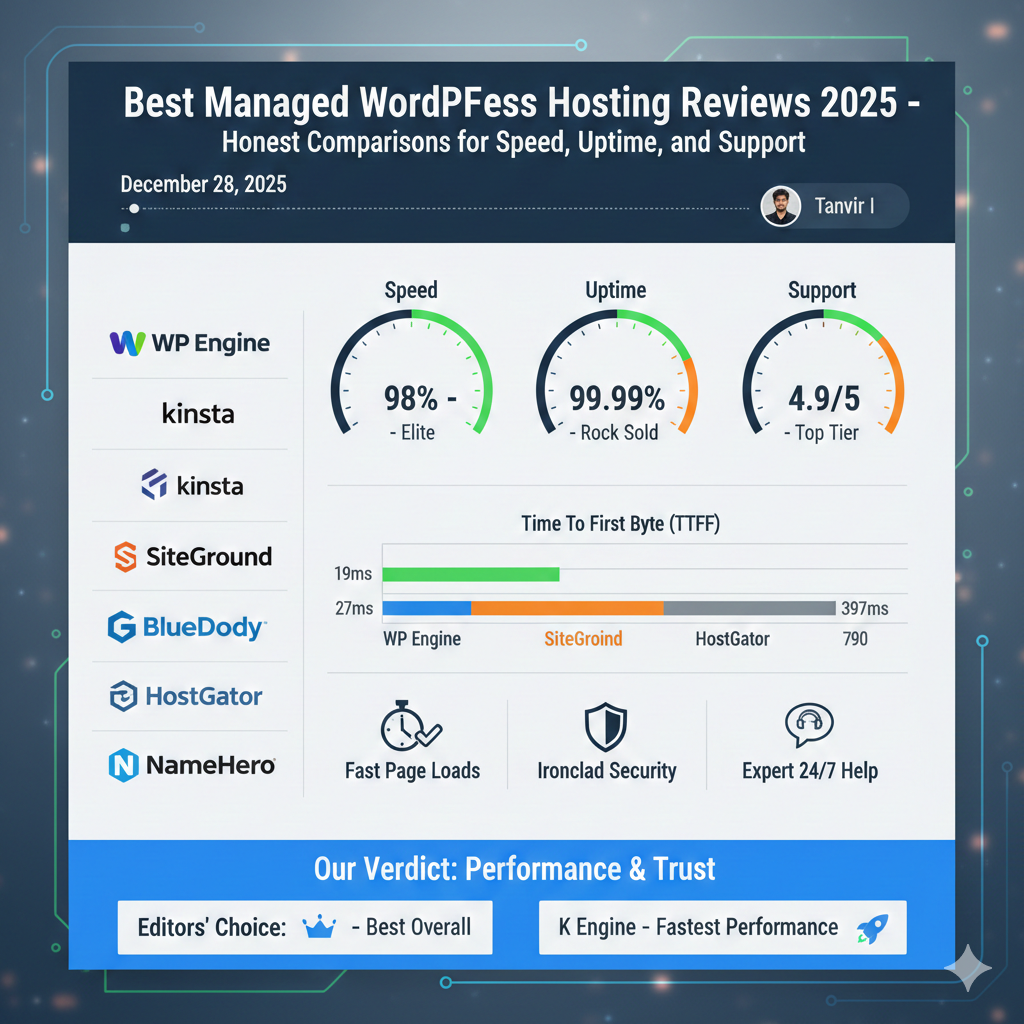
WP Engine is one of the most stable and fastest managed WordPress hosts available. Independent 2025 benchmarks show it delivers elite speed with a time to first byte of just 19 milliseconds, and it maintains 99.99 percent uptime.
Performance and Reliability:
WP Engine runs on Google Cloud and Amazon AWS infrastructure. It uses EverCache technology, which is a smart caching system that learns your site and makes it even faster. The company includes Cloudflare Enterprise, which speeds up your site for visitors around the world.
Load tests show WP Engine handles traffic spikes very well, delivering 19 milliseconds response times even under heavy stress. This means your site stays fast when you get a spike in visitors.
Customer Support:
WP Engine has 24/7 support from people who specialize in WordPress. They answer live chat questions within minutes and know how to fix WordPress problems quickly. User ratings on Trustpilot and G2 consistently show 4.8 to 4.9 out of 5 stars, with people praising the support team.
Features and Tools:
- Free StudioPress Genesis themes (premium quality, normally cost $100 each)
- One-click staging sites to test changes safely
- Daily backups with instant restore
- Advanced security with malware scanning
- Git integration and SSH access for developers
- API access for agencies managing many sites
Pricing:
Plans start at $20 per month for small blogs and go up to custom enterprise pricing. Renewal rates are similar to the first year, which is better than many hosts. Mid-range plans are around $40 to $60 per month.
Pros:
- Elite speed and uptime proven in independent tests
- Expert WordPress support available 24/7
- Strong security and backup features
- Ideal for agencies and business-critical sites
- Fair pricing with no surprise renewal increases
Cons:
- Higher price than budget hosts
- WordPress-only (cannot host other types of sites)
- Plugin restrictions on some features
- Not ideal for very small blogs just starting out
Best For: Business websites, online stores, agencies managing multiple client sites, high-traffic blogs where reliability matters more than saving money.
Kinsta – Best for Performance and Developer Tools
Why it stands out:
Kinsta is built on Google Cloud’s fastest C2 and C3D machines. In independent testing, it shows very strong response times and handles complex sites with heavy plugins very well.
Performance and Reliability:
Kinsta delivers a time to first byte around 27 milliseconds in benchmarks, making it one of the fastest managed hosts available. The company has 35 data center locations worldwide, which means visitors in the USA, UK, Australia, and everywhere else get fast speeds.
Uptime is measured at 99.9 percent in independent tests. While slightly lower than WP Engine, this is still very strong and sufficient for almost all websites.
Developer Features:
Kinsta’s MyKinsta dashboard is considered the best in the industry for developers and technical users. It includes:
- Application Performance Monitoring to find slow plugins or code
- One-click staging with separate databases
- Multiple PHP versions available
- SSH, Git, and Composer support
- Unlimited migrations to other hosts
- Advanced analytics and reporting
This makes Kinsta especially popular with agencies and developers who need to optimize sites for performance.
Customer Support:
Support is available 24/7 through live chat and email. Response times are fast, averaging under one hour. User ratings are 4.8 to 4.9 out of 5 stars on major review sites.
Pricing:
Plans start at $35 per month and scale based on the number of WordPress installations and traffic. A typical growing site might pay $70 to $115 per month. Enterprise plans go higher. Kinsta offers a 30-day money-back guarantee.
Pros:
- Ultra-fast performance on Google Cloud infrastructure
- Best dashboard and developer tools
- 35 global data centers for worldwide speed
- Excellent customer support for technical issues
- Unlimited migrations and daily backups
- Very strong uptime and reliability
Cons:
- High starting price compared to budget hosts
- No email hosting included
- No phone support (chat and email only)
- Limited WordPress installs on starter plans
Best For: Agencies, WooCommerce stores, membership sites with heavy traffic, developers who need advanced tools, and sites where performance is mission-critical.
SiteGround – Best Value Managed WordPress Hosting
Why it stands out:
SiteGround recently moved to Google Cloud infrastructure, which improved its speed significantly. Independent benchmarks show it delivers good performance at much lower prices than Kinsta or WP Engine.
Performance and Reliability:
Time to first byte is measured at around 397 milliseconds in 2025 tests. This is faster than many shared hosts but slower than premium managed platforms. However, the difference in real-world page loads is barely noticeable to visitors. Uptime is very strong at 99.99 percent.
SiteGround uses its own SG Optimizer tool, which includes caching, image optimization, and server-level optimizations that improve speed without extra plugins.
Customer Support:
SiteGround is famous for its support quality. The support team answers questions quickly and solves problems on first contact 90 percent of the time. Response times are typically under one hour. User ratings are consistently 4.8 to 4.9 out of 5 stars.
Features:
- Free SSL certificates (always included)
- Free site migrations from any host
- Cloudflare CDN integration
- Backup copies available for a year
- One-click WordPress staging
- SSH, Git, and cron job support
- Free domain for first year on annual plans
Pricing:
Starting prices are very affordable: $2.99 per month for the entry plan when you pay for 12 months. Mid-tier plans are $5.99 to $7.99 per month. However, renewal rates are much higher—often jumping to $15 to $20 per month. This is important to remember when choosing.
Pros:
- Excellent customer support rated as best in class
- Moved to Google Cloud for better performance
- Affordable entry pricing
- Free migrations and domain
- Good uptime and speed for the price
- Works well for growing businesses
Cons:
- Renewal pricing jumps significantly
- Slower than premium managed hosts
- Entry plans have resource limits
- Can feel like overselling on cheap plans
Best For: Small businesses, bloggers, agencies with budget limits, sites that need good support at fair prices, and users transitioning from shared hosting.
GoDaddy Managed WordPress Hosting – Best for All-in-One Solutions
Why it stands out:
GoDaddy is the largest hosting company in the world. Its managed WordPress hosting includes everything: domain, email, and hosting all in one account. For beginners, this simplicity is valuable.
Performance and Reliability:
Independent testing shows GoDaddy delivers time to first byte around 362 milliseconds and uptime at 99.99 percent. Response times under load are strong at 35 milliseconds.
The company uses Cloudflare Enterprise CDN, which speeds up your site for visitors worldwide. Pages typically load in one to two seconds for most visitors.
Ease of Use:
GoDaddy’s control panel is beginner-friendly. WordPress installation is one click, and the Airo Plus Site Optimizer tool helps improve speed automatically.
Pricing:
Pricing is extremely competitive, starting at just $6.99 per month on annual plans. Higher plans include more storage and features at $10.99 and $14.99 per month. This makes GoDaddy one of the cheapest managed WordPress options.
Features:
- Free domain on annual plans
- Free SSL certificate
- Cloudflare CDN
- Daily backups
- Staging environment on higher plans
- Free website migration
- Email hosting included
- AI site builder for beginners
Customer Support:
Support is available 24/7 via chat, phone, and email. Response times are usually good, though some users report needing to contact support multiple times for complex issues. User ratings are around 4.2 to 4.5 out of 5 stars.
Pros:
- Extremely affordable pricing
- All-in-one solution (domain, email, hosting)
- Beginner-friendly interface
- Good speed and uptime
- Free domain and migrations
- AI tools to help beginners
Cons:
- Support quality can be inconsistent
- Performance limits on cheaper plans
- Renewal prices are higher than intro prices
- Can feel slow under heavy traffic
- Aggressive upselling
Best For: Complete beginners, small businesses on tight budgets, users who want everything in one place, bloggers not expecting high traffic.
Bluehost – Best for WordPress Beginners
Why it stands out:
Bluehost is officially recommended by WordPress.org, which means WordPress itself trusts the company. This makes it the default choice for many new WordPress users.
Performance and Reliability:
Independent benchmarks show Bluehost delivering time to first byte around 417 milliseconds and uptime at 99.98 percent. Speed is decent but not exceptional compared to premium hosts.
The company uses NVMe SSD storage and Cloudflare CDN to improve performance. Load times are typically one to two seconds for most visitors.
Beginner-Friendly Features:
- One-click WordPress installation
- WonderSuite AI builder for no-code website creation
- Built-in caching and optimization
- Easy migration from other hosts
- Staging environment to test changes
Pricing:
The starting price is extremely low at just $2.95 per month on 24-month plans. However, renewal rates jump to around $14 per month or higher. This is important to understand before signing up. Plans go up to $6.45 per month for eCommerce features.
Features:
- Free domain for the first year
- Free SSL certificate
- Free backup software
- Free migration service
- WooCommerce tools for stores
- AI site builder included
Customer Support:
Support is available 24/7 via chat and email. Phone support is available on higher plans only. User ratings are around 4.7 to 4.8 out of 5 stars, with people praising the beginner-friendly setup.
Pros:
- Officially endorsed by WordPress.org
- Very affordable for first year
- Beginner-friendly setup and interface
- Good uptime and decent speed
- Includes AI website builder
- Free domain and migration
- Strong customer satisfaction
Cons:
- Renewal pricing is significantly higher
- Performance can lag on cheapest plans
- Limited server locations
- Plugin restrictions on lowest plans
- Support can be slow during peak hours
Best For: Complete beginners, first-time website builders, small blogs, WordPress newcomers, users who want the WordPress.org recommendation.
HostGator Managed WordPress Hosting – Budget Option
Why it stands out:
HostGator is known for rock-bottom prices and simple hosting. It is a good choice if you want to start a WordPress site with minimal investment.
Performance and Reliability:
Independent testing shows HostGator with time to first byte around 790 milliseconds and uptime at 99.98 percent. This is slower than most managed hosts, but still acceptable for small blogs.
The company uses cloud architecture and SSD storage to improve speed over traditional shared hosting.
Pricing:
Entry plans start at just $5.95 per month on three-year terms. Higher plans go up to $9.95 per month. Renewal rates are typically double or triple the intro price, which is an important consideration.
Features:
- Free domain for first year
- Free SSL certificate
- Free backup and restoration
- Free migration service
- Cloud infrastructure
- Basic staging environment
- 45-day money-back guarantee
Customer Support:
Support is available 24/7 via chat, phone, email, and Twitter. User ratings are around 4.3 to 4.7 out of 5 stars. Support quality is generally good for beginner questions but can be slow for complex technical issues.
Pros:
- Extremely affordable entry price
- Simple, beginner-friendly setup
- Free domain and migration
- 45-day refund guarantee (longer than most)
- Decent uptime
- Plugin and theme freedom
Cons:
- Much slower than premium hosts
- Renewal prices spike significantly
- Limited data center locations
- Support quality inconsistent
- Not suitable for high-traffic sites
Best For: Absolute beginners on extremely tight budgets, hobby blogs, websites not expecting traffic, and users wanting to try WordPress cheaply.
NameHero – Rising Star for Speed Seekers
Why it stands out:
NameHero is a smaller hosting company that focuses on speed and performance. It uses LiteSpeed web servers, which are significantly faster than the Apache or Nginx servers used by most competitors.
Performance and Reliability:
Independent 2025 benchmarks show NameHero delivering time to first byte around 452 milliseconds and uptime at 99.97 percent. More importantly, NameHero guarantees 100 percent uptime, which is rare.
The company uses LiteSpeed Enterprise with advanced caching, which makes WordPress sites load much faster. This is especially noticeable for sites using Elementor page builder or WooCommerce stores.
Customer Support:
Support is available 24/7 via live chat and ticketing system. Response times are typically under one hour. User ratings are 4.4 to 4.9 out of 5 stars, with people praising the responsiveness and technical knowledge.
Features:
- LiteSpeed web server (faster than competitors)
- NVMe SSD storage
- Cloudflare integration
- Daily backups (24-hour retention)
- One-click WordPress install
- Free SSL certificate
- Free domain for first year
- HTTP/3 support
- Simple cPanel control panel
Pricing:
Plans start at just $3.40 per month on three-year terms, making it one of the cheapest managed options. Mid-range plans are $5.44 to $8.38 per month. Renewal rates are moderate compared to some competitors.
Pros:
- Fast LiteSpeed technology at budget prices
- 100 percent uptime guarantee
- Strong customer support
- Free SSL and domain
- Good value for performance
- HTTP/3 support (cutting edge)
- Faster than similarly priced hosts
Cons:
- Smaller company with less brand recognition
- Daily backups only last 24 hours (others offer longer)
- Limited data center locations
- Not as many advanced features as premium hosts
Best For: Bloggers and small businesses wanting speed on a budget, Elementor users, WooCommerce store owners with limited budgets, users prioritizing performance over brand name.
A2 Hosting (Now Hosting.com) – Best for Developers
Why it stands out:
A2 Hosting rebranded as Hosting.com in 2025 but kept its excellent managed WordPress offering. The company focuses on developers and power users who want advanced tools and customization.
Performance and Reliability:
Hosting.com uses LiteSpeed servers with aggressive caching. Independent benchmarks show time to first byte around 397 milliseconds and uptime at 99.96 percent. Load handling is strong at 26 milliseconds under stress.
Developer Features:
- LiteSpeed with extreme performance tuning
- WP Rocket caching plugin included free
- Advanced staging environments
- SSH, Git, and Composer access
- Multiple PHP versions
- Free WP-CLI access
- Rocket.net edge caching integration
Pricing:
Managed WordPress plans start at $11.99 per month on the entry “Run” plan. Mid-range “Jump” and “Fly” plans are $18.99 to $28.99 per month. This is mid-range pricing compared to budget and premium hosts.
Customer Support:
Support is available 24/7. The company employs WordPress experts who understand performance optimization deeply. User ratings are around 4.5 out of 5 stars.
Pros:
- Great performance with LiteSpeed
- WP Rocket included free (worth $10/month alone)
- Excellent for developers
- Good value for technical users
- Eco-friendly data centers
- Anytime money-back guarantee
Cons:
- Rebranding created some confusion
- Smaller than WP Engine or Kinsta
- Limited data centers compared to Kinsta
- Uptime is slightly lower than premium hosts
Best For: Developers, agencies, Elementor power users, users wanting advanced tools without enterprise pricing, and environmentally conscious users.
Quick Comparison Table: Managed WordPress Hosting 2025
| Provider | Starting Price | TTFB | Uptime | Best For | Support | Data Centers |
|---|---|---|---|---|---|---|
| WP Engine | $20/mo | 19ms | 99.99% | Agencies, High-Traffic | Expert 24/7 | Multiple |
| Kinsta | $35/mo | 27ms | 99.9% | Developers, Performance | 24/7 Chat | 35+ Global |
| SiteGround | $2.99/mo | 397ms | 99.99% | SMB, Value Seekers | Excellent | Google Cloud |
| GoDaddy | $6.99/mo | 362ms | 99.99% | Beginners, All-in-One | Available 24/7 | Multiple |
| Bluehost | $2.95/mo | 417ms | 99.98% | WP Beginners | 24/7 | Multiple |
| HostGator | $5.95/mo | 790ms | 99.98% | Budget Starters | 24/7 | Multiple |
| NameHero | $3.40/mo | 452ms | 100%* | Speed Seekers, Budget | Fast Chat | Limited |
| Hosting.com | $11.99/mo | 397ms | 99.96% | Developers | Expert 24/7 | Limited |
*NameHero guarantees 100% uptime; others list 99.9–99.99%
How to Choose Your Managed WordPress Host
Step 1: Define Your Site Type and Traffic
Ask yourself:
- Is this a blog, small business site, online store, or agency portfolio?
- How many visitors do you expect in the next year?
Blogs and small sites can start with budget hosts. Stores and high-traffic sites need premium performance.
Step 2: Set Your Monthly Budget
Be realistic about what you can spend:
- Under $10/month: GoDaddy, Bluehost, HostGator, NameHero. Good for blogs and small sites.
- $10–$40/month: SiteGround, Hosting.com. Good for growing businesses.
- $40+/month: WP Engine, Kinsta. For serious businesses where uptime and speed are critical.
Remember that renewal prices are often higher. Factor in a 2–3 year timeline.
Step 3: Match Your Priority
Choose based on what matters most:
- Priority: Lowest Price → GoDaddy, Bluehost, HostGator
- Priority: Best Support → WP Engine, SiteGround, Kinsta
- Priority: Best Speed → WP Engine, Kinsta, NameHero
- Priority: Developer Tools → Kinsta, Hosting.com, WP Engine
- Priority: Value for Money → SiteGround, NameHero, Hosting.com
- Priority: Beginner-Friendly → Bluehost, GoDaddy, SiteGround
Step 4: Check the Hidden Costs
Look at:
- Renewal pricing (often much higher than intro price)
- Whether SSL, backups, and migrations are free
- Whether email hosting is included
- Upgrade costs if your site grows
Step 5: Take Advantage of Money-Back Guarantees
Most managed hosts offer 30–45 day money-back guarantees. Use this time to:
- Test the control panel and dashboard
- Try customer support with questions
- Check speed from your location
- See how easy migration actually is
If you are not happy after one week, request a refund and try another host.
Frequently Asked Questions About Managed WordPress Hosting
What is the difference between managed and shared WordPress hosting?
Shared hosting is like an apartment building where many websites share one server and resources. You manage updates, backups, and security yourself. Managed WordPress hosting is like having a building manager—the company handles technical work, and you focus on content.
Is managed WordPress hosting worth the extra cost?
For most website owners, yes. Managed hosting saves time on technical maintenance, delivers better performance, and provides expert support. This often makes you money back through better search rankings and fewer problems.
Can I move my site to managed hosting later?
Yes. Most managed hosts offer free migrations. You can start on budget shared hosting and upgrade to managed hosting once your site grows and makes money.
What happens if my site gets really busy?
Good managed hosts automatically adjust resources to handle traffic spikes. Premium hosts like WP Engine and Kinsta handle this better than budget options. Budget hosts may slow down under heavy traffic.
Do I need to know technical things to use managed WordPress hosting?
No. Managed hosting is specifically designed for non-technical users. The company handles technical work. You use the dashboard to manage your site, just like you would on any hosting.
What if I want to leave my hosting company?
You own your WordPress site and all your content. Most hosts offer free migrations to help you move. It is standard practice and takes just a few days.
How do renewal prices work?
Most hosts charge a lower price for your first year to attract customers. After that, renewal rates are often two to three times higher. This is normal. Read the fine print before signing up.
Is my data safe with managed hosting?
Yes. Quality managed hosts use daily backups, advanced security, and data centers with multiple safety layers. They have more security resources than small businesses can afford alone.
For USA, UK, and Global Users: Regional Considerations
USA Users:
All providers listed work well in the USA. Choose based on budget and features. WP Engine and Kinsta have excellent USA data centers. GoDaddy and Bluehost have local support teams.
UK Users:
SiteGround, WP Engine, and Kinsta all have UK data centers for fast speeds. Check that your chosen host has a data center in London or Europe for best performance. Many hosts can guarantee GDPR compliance, which is important for UK businesses.
Australian Users:
Kinsta has data centers in Sydney, which is important for Australian speed. WP Engine and SiteGround also serve Australia well. Verify the data center location before purchasing.
Canadian Users:
All major hosts serve Canada well. Kinsta, WP Engine, and SiteGround have Canada-friendly infrastructure. Currency may show in USD, but most accept Canadian payment methods.
Real-World Performance: What Users Actually Experience
Independent 2025 benchmarks show:
- WP Engine and Kinsta deliver page loads under one second for most visitors worldwide.
- SiteGround, Hosting.com, and NameHero deliver page loads between one to two seconds, which is still fast enough for good user experience.
- GoDaddy and Bluehost deliver page loads around two seconds, which is acceptable for most sites but not elite.
- HostGator may deliver slower page loads on budget plans, but improvement is noticeable when you upgrade.
The difference between a one-second and two-second page load is noticeable to visitors and affects search rankings slightly. However, the difference between two seconds and five seconds is dramatic.
Your Action Plan: Next Steps
- Decide what matters most: Speed, budget, support, or ease of use?
- Pick your top two choices from the providers above.
- Sign up for a monthly plan or longer term that offers a money-back guarantee.
- Test for one to two weeks:
- Check speed from your location
- Contact support with a question and see how fast they respond
- Try migrating a test site or creating a test post
- Check the dashboard and see how easy it is
- If you are happy, keep it. If not, use the money-back guarantee and try another host.
Most people find their perfect host within one or two tries using this method.
Resources and Sources
All information in this guide comes from independent 2025 benchmarks, user reviews, and provider documentation:
Independent Benchmark and Performance Testing:
- WordPress Hosting Benchmarks 2025 – Long-term speed and uptime monitoring: 24/7, 365 Days Tested
- WPBeginner Managed WordPress Hosting Comparison – Feature analysis and testing
- WebHostingCat Kinsta vs WP Engine Comparison – Direct performance testing
User Reviews and Real Feedback:
- SiteGround vs Bluehost Honest Comparison – User experience and support testing
- Pressable Hosting Review – Real-world performance analysis
- NameHero Review 2025 – Performance and feature testing
Official Provider Information:
WP Engine official website and documentation
Kinsta official website and MyKinsta features
SiteGround official website and Site Tools
GoDaddy managed WordPress documentation
Bluehost official website
HostGator official website
NameHero official website
Hosting.com official website
Testing Methodology and Tools:
Pingdom Speed Testing
GTmetrix Performance Analysis
Google PageSpeed Insights
Loader.io Load Testing
UptimeRobot Uptime Monitoring
Final Summary
The best managed WordPress hosting in 2025 depends on your needs:
- Best Overall: WP Engine for agencies and high-traffic sites
- Best Value: SiteGround for small businesses wanting quality support
- Best Performance: Kinsta for developers and complex sites
- Best for Beginners: Bluehost (WordPress.org endorsement) or GoDaddy (all-in-one)
- Best Budget: GoDaddy, NameHero, or HostGator to start cheaply
- Best for Developers: Kinsta or Hosting.com for advanced tools
All these hosts deliver solid uptime and reasonable speed. The main differences are in support quality, advanced features, and price. Start with the host that matches your current needs, test it thoroughly, and upgrade later if your site grows.
Remember: no host is perfect, but most will work well for your situation. The best host is the one you feel confident using and that fits your budget.
Research Note by Tanvir I.
Before starting this review, I want to share what I have been researching for you. I have gone deep into the world of managed WordPress hosting reviews & i were looking at performance, uptime, customer support, pricing, ease of use, scalability, and unique features. My focus has been on the best managed WordPress hosting providers in 2025, including WP Engine, GoDaddy, Bluehost, HostGator, Kinsta, SiteGround, A2 Hosting, and NameHero.
The goal is simple: to give you an honest, unbiased comparison so you can decide which hosting service truly fits your needs. I’ve analyzed speed tests, real customer feedback, pricing structures, and the latest updates from each provider. What follows is not just marketing talk -it’s a practical breakdown based on research, so you can trust the insights before making your choice.